Liinks pages are built with blocks — individual content elements that you can add, arrange, and customize. To add a block, click the Add Block button on your profile editor.
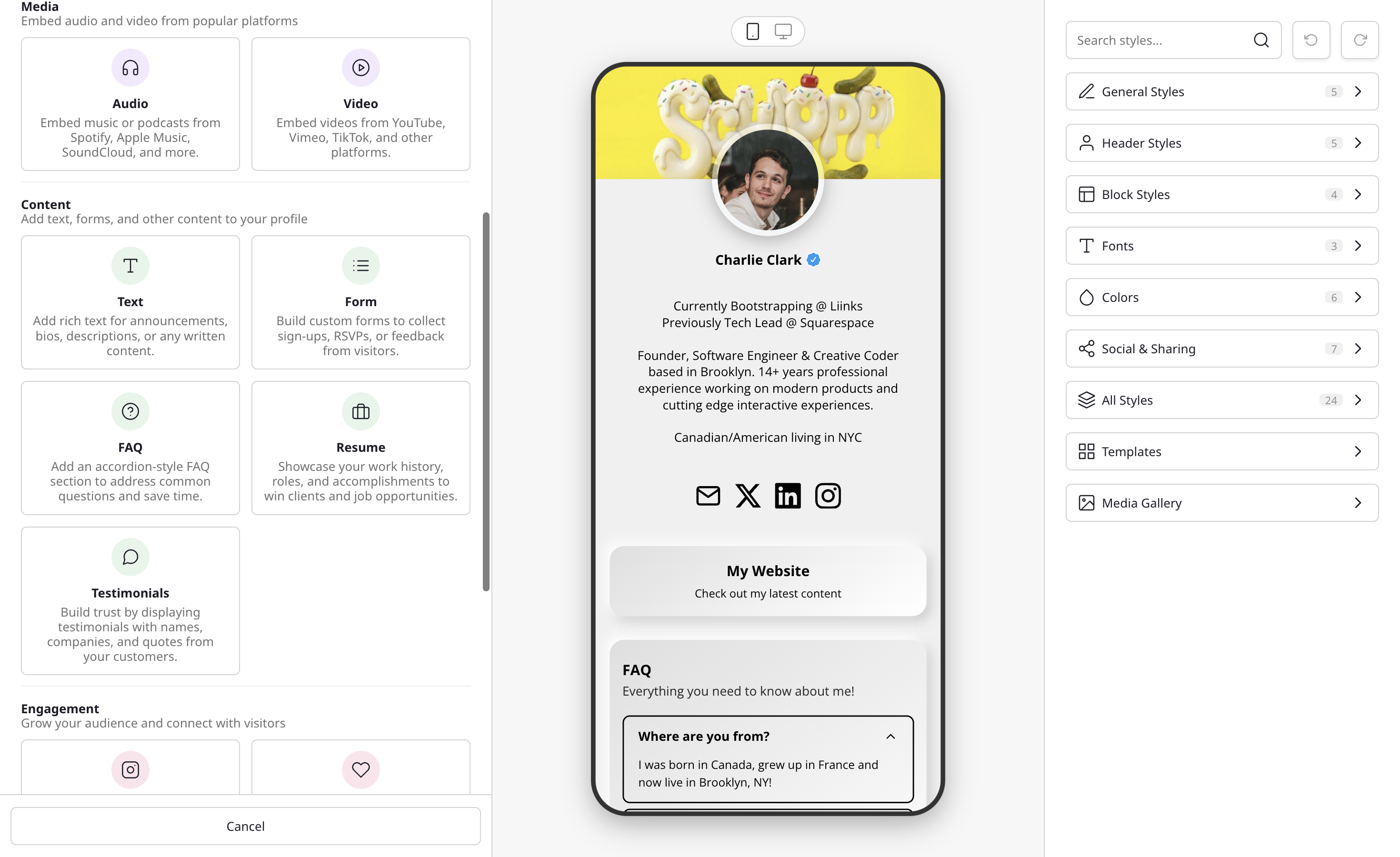
Finding the right block
The Add Block menu is designed to get you to the right block quickly:
- Popular — A shortcut row at the top surfaces the most-used blocks (URL, Form, Embed, and Folder) so you don't have to scroll to find them. The rest of the blocks are listed below, grouped by category (Buttons, Media, Content, Engagement, and Layout).
- Search by keyword — Start typing in the search box at the top and the list filters to match. Search understands synonyms, so you can type what you want to do rather than the exact block name: "podcast" finds the audio embed, "CV" finds Resume, "newsletter" or "mailing list" finds Collect Emails, "tip jar" finds Donate, and "X" or "Threads" finds Follow.
- Smart paste — Paste a link or email address straight into the search box and Liinks routes it to the right block automatically. A media link (YouTube, Spotify, and similar) opens the media embed, an email address creates an email button, and a regular web link is scanned to pre-fill its title, description, and image so your block is ready to go.
Here's an overview of every block type available:
Link
The most common block type. Links can point to URLs, email addresses, files, images, or other pages on your profile. See Link Block for setup instructions.
- URL — A standard clickable link that opens a webpage.
- Email — Opens the visitor's email client with a pre-filled address.
- File — Upload and share PDFs, images, or audio files.
- Image — Display an image that opens in a lightbox when clicked. The block editor's Image section adds two options: Full bleed stretches the image edge-to-edge with no card border, and Disable click turns off the lightbox so the image is purely decorative.
- Page — Link to another page within your Liinks profile. See Multiple pages.
Links support multiple layout styles including buttons, thumbnails, grids, carousels, and more. See Creating a carousel for details on the carousel layout.
On any layout that shows an image, you can swap the image for an icon, an emoji, or a 3D icon instead of uploading a picture. See Link icons and 3D icons for details.
Divider
A simple text-based section divider that helps organize your page into logical groups. You can customize the divider text to act as a section header. See Divider Block for setup instructions.
Media
Embed audio and video content directly on your page.
Supported platforms include YouTube, Vimeo, Spotify, Apple Music, Soundcloud, and more. See Embedding content for the full list of supported platforms.
The Audio and Video blocks both open this media embed flow — they're listed separately to make them easier to find. If you're not sure which one you need, the Embed shortcut in the Popular section opens the same flow as a catch-all.
Text
Add rich text sections to your page — perfect for bios, descriptions, announcements, or any written content. Formatting includes headings, bold and italic, lists, alignment, and inline links. See Text Block for setup instructions.
Automatically display your latest Instagram posts on your Liinks page.
Connect your Instagram account and your posts will sync automatically. See Instagram Sync for setup instructions.
Collect Emails
Collect email addresses from your visitors to build your audience.
The Collect Emails shortcut in the Add Block modal creates a form with a single Email field and subscriber mode enabled. Submitted emails are stored in Liinks and viewable in your Analytics panel. You can optionally connect to Mailchimp for automatic syncing. See How to Collect Email Signups for details.
Folder
Group and organize blocks into collapsible sections.
Folders help keep your page tidy by letting visitors expand and collapse groups of related content. You can nest folders within folders for multi-level organization, and choose between a visible Folder on your profile or an Organization Only group that keeps your admin sidebar tidy without affecting your public page. See Using Folder Blocks for more.
FAQ
Add an expandable FAQ section to your page with accordion-style question and answer pairs.
Visitors can click on any question to expand and reveal the answer. Great for reducing repetitive questions, sharing product details, or providing quick answers to common inquiries. See FAQ Block for setup instructions.
Form
Create custom forms to collect information from your visitors.
Forms support multiple field types including text, email, phone, address, dropdowns, checkboxes, ratings, and more. Choose from starter templates like Contact Form, Newsletter Signup, Event RSVP, and others to get started quickly. Enable Collect subscribers on any form with an Email field to automatically grow your subscriber list. Responses are viewable in the Forms panel. See Forms for setup instructions.
Resume
Display your work history in a styled card — great for freelancers, consultants, and job seekers.
Each entry includes role, company, date range, and an optional description. You can mark a role as current to show "Present" in place of the end date, add a company URL to make the company name clickable, and drag entries to reorder them. See Resume Block for setup instructions.
Testimonials
Add customer quotes with names, companies, and optional avatars to build trust on your page.
Each testimonial can include a headshot or company logo, a name and role, the quote itself, and an optional link to the original review. Entries can be reordered by dragging, and the whole card inherits your page design so it matches the rest of your blocks. See Testimonials Block for setup instructions.
Countdown Timer
Show a live-ticking timer that counts down to a date and time you choose, in each visitor's local timezone. Add a headline, an optional description, and an optional button.
When the timer reaches zero, you decide what happens next: show a message you write, hide the block entirely, or reveal a hidden block of your choice the moment the countdown ends. Great for product launches, drops, sales, and event registrations. See Countdown Timer Block for setup instructions.
Social Icons
Display a row of linked social media icons on your page. There are two preset variations available in the block picker:
- Follow — Show all your social profiles in one place so visitors can follow you on Instagram, TikTok, Twitter, and other platforms.
- Donate — Add donation buttons for PayPal, Venmo, and other platforms so visitors can support you.
Both use the same underlying editor where you can add, remove, and reorder the platforms you want to display. See Social Icons Block for setup instructions.