Collecting email signups with Liinks is simple. The Collect Emails form template gives you a ready-made email sign-up form in just a few clicks.
Set up email collection
- Click the Add Block button on your profile editor.
- Scroll down to the Engagement section and select Collect Emails.
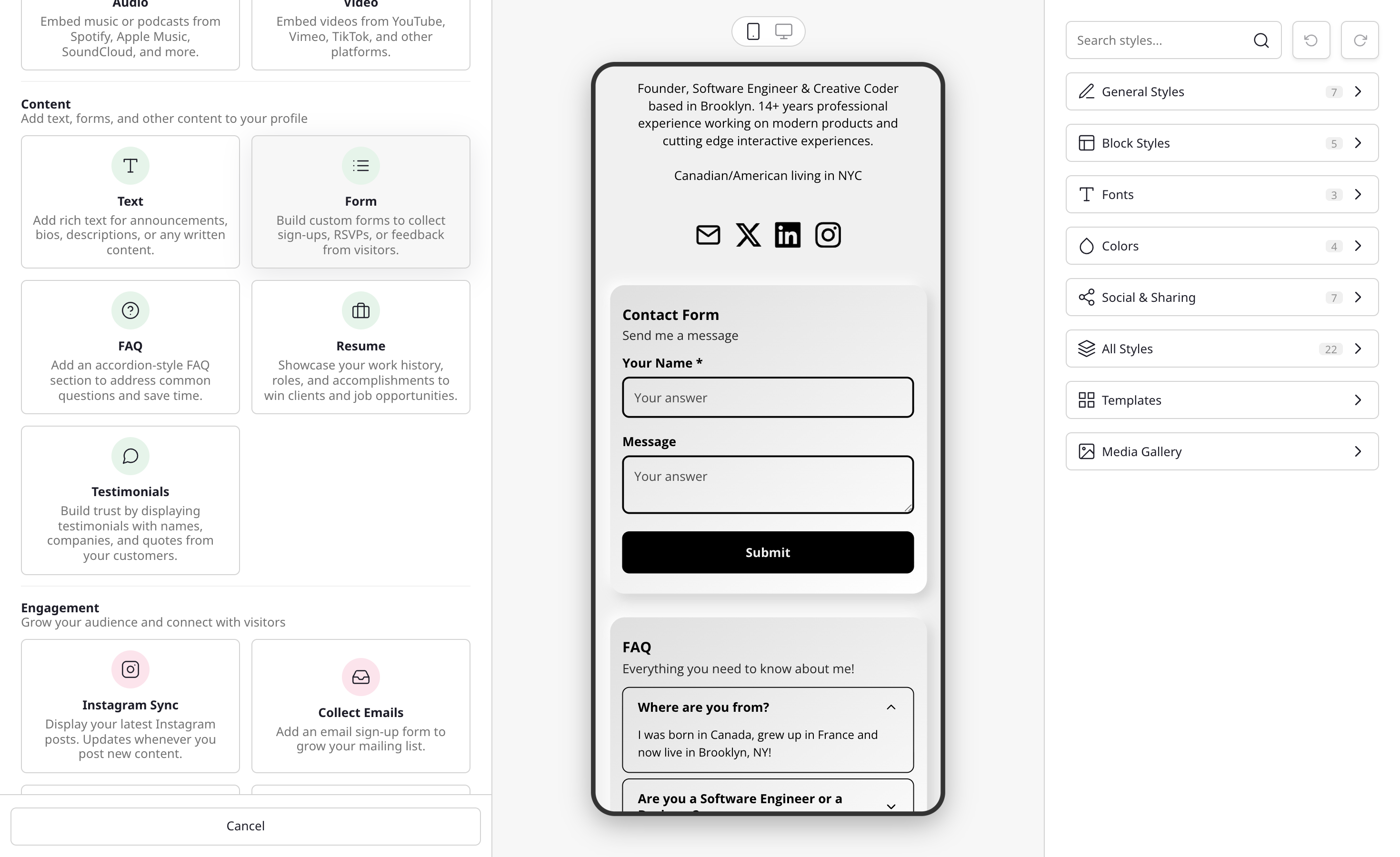
- If you already have forms that collect subscribers, you'll see a picker where you can attach an existing one. Otherwise, the form builder opens with a single Email field and subscriber mode already enabled.
- Customize the title, description, and button text to match your brand.
- Save and publish the block to make it live on your page.
You can also start from a blank Form block (under Content) and add an Email field yourself. When your form includes an Email field, a Collect subscribers toggle appears in the form builder. Turn it on to automatically save submitted emails to your subscriber list. See Forms for more on building forms.
Where are the emails stored?
Emails collected through subscriber-enabled forms are stored in Liinks. You can access them any time on the Audience page in the left sidebar of your dashboard, where you’ll see everyone who has signed up in an organized list. From there you can open any contact to view their activity and edit their details. See View and manage your audience for the full walkthrough.
Connect with Mailchimp (optional)
If you prefer to manage emails in Mailchimp, Liinks syncs subscriber-mode form submissions to your Mailchimp list automatically. See the full guide here.