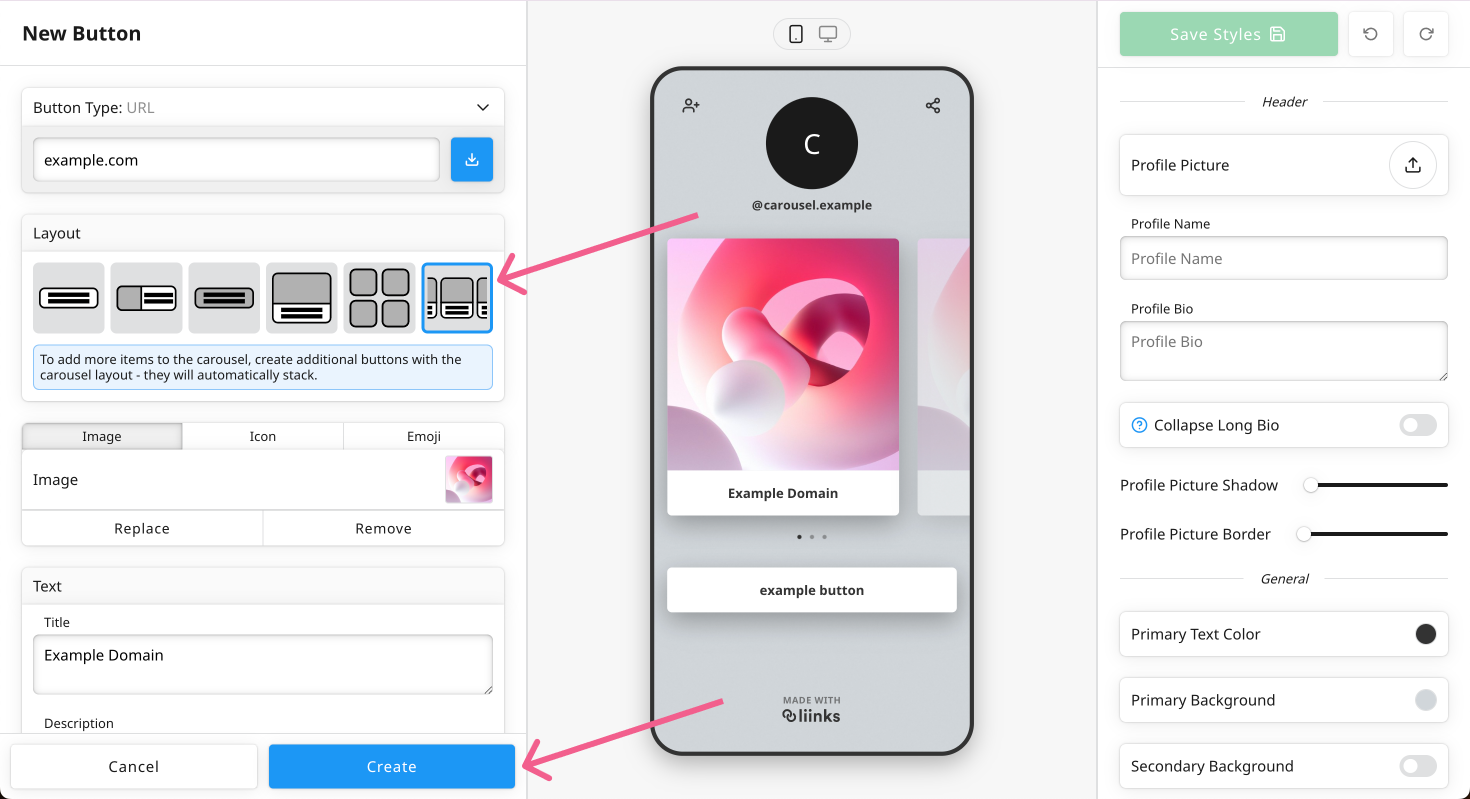
You can create horizontal scrolling carousels by creating a series of carousel button blocks. Carousels come in two sizes — standard and small — so you can pick the one that best fits your page layout.
Step 1) Create a button block
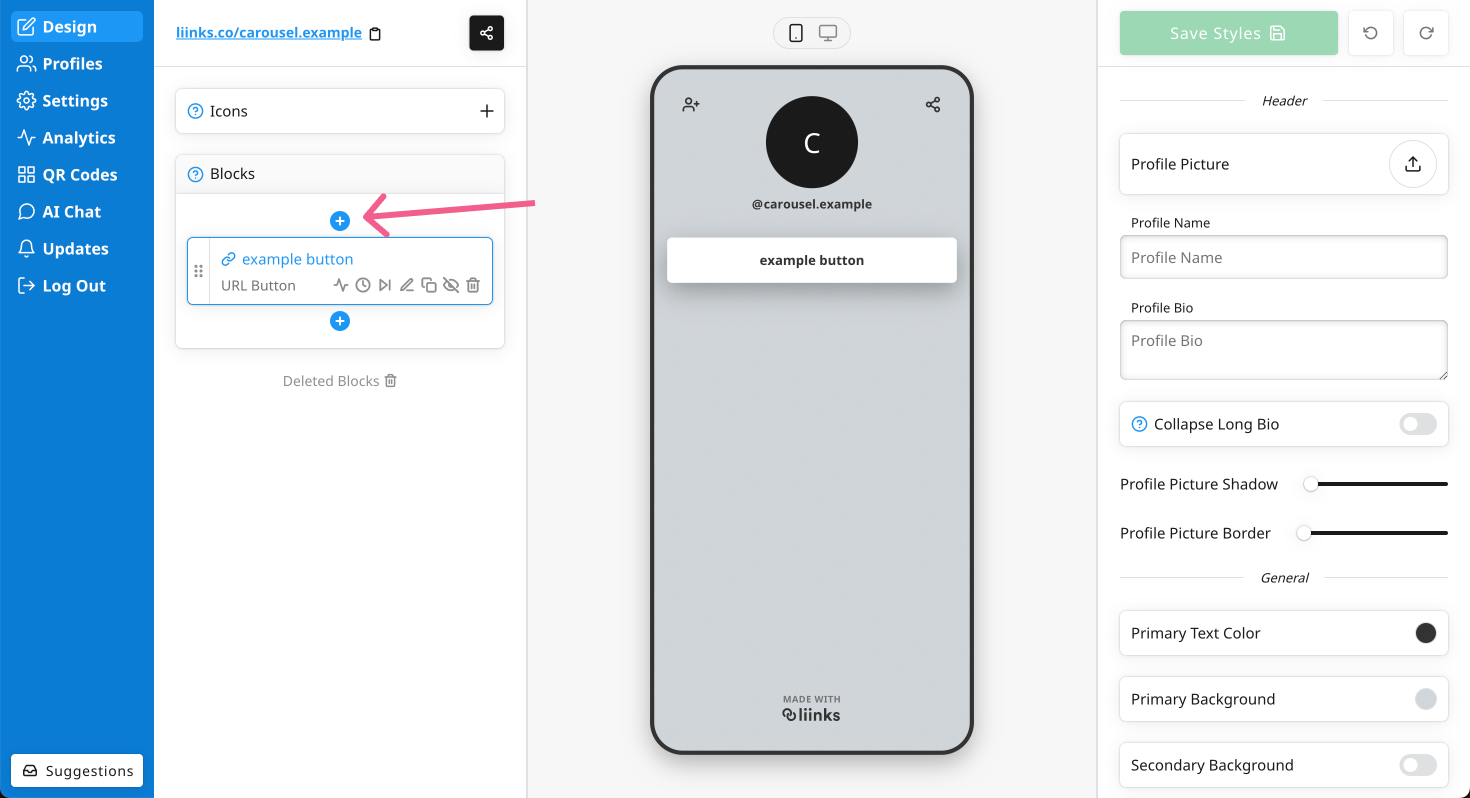
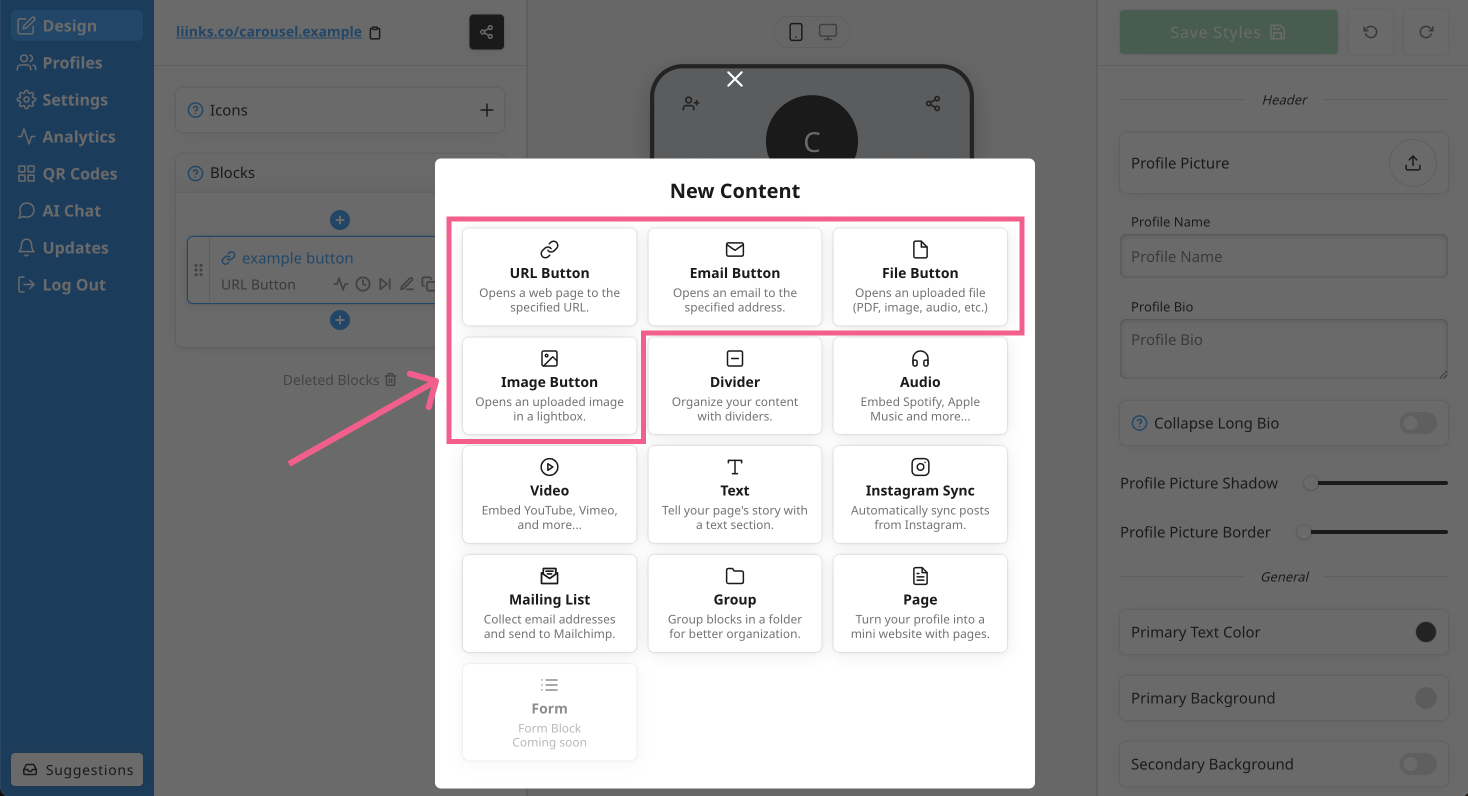
Click Add + in the Blocks panel and pick a button block type — any button block can be part of a carousel.
Step 2) Pick the Carousel layout
In the block editor, select the Carousel layout, then add an image and a title. The image is what makes the carousel — each block becomes one swipeable card.
Step 3) Add more carousel blocks
Add more blocks with the Carousel layout directly beneath the first one. Consecutive carousel blocks automatically group into a single swipeable carousel — add as many cards as you'd like.