Share your Liinks page URL with anyone you want to start getting people to see it. Your URL is liinks.co/yourusername.
When you're logged in to your account, your URL sits in the bar at the top of the live preview in the editor:
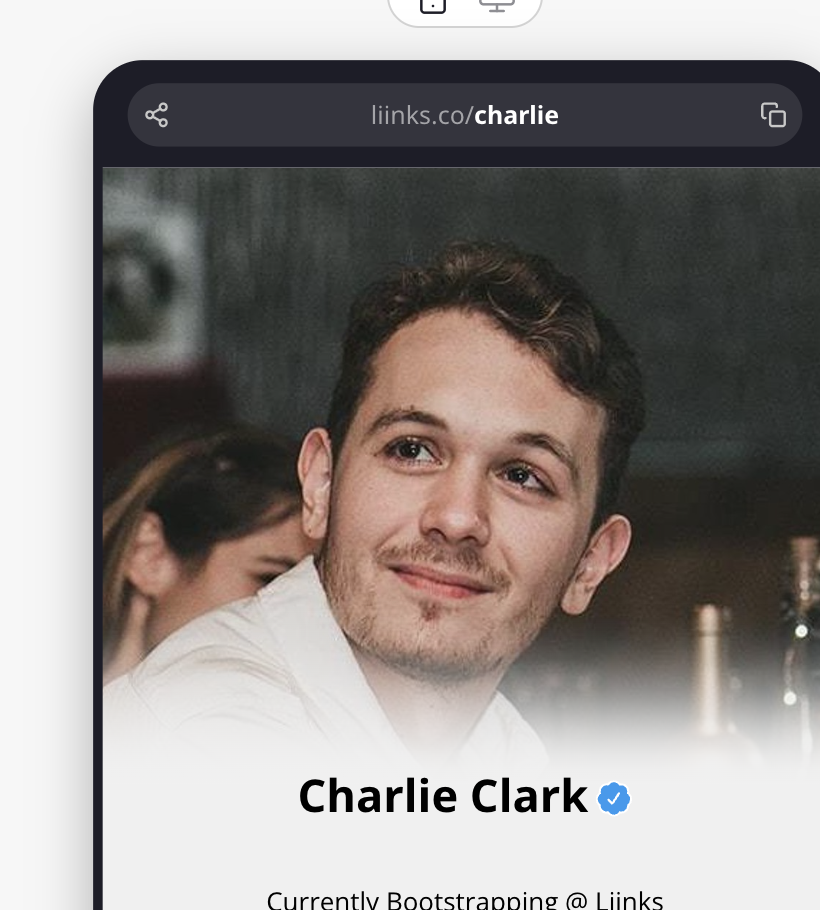
From this bar you can:
- Copy your URL — Click the copy icon on the right to copy your link, then paste it wherever you like.
- Share your page — Click the share icon on the left to open the share options, including your QR code.
- Open your page — Click the URL itself to open your live page in a new tab.
Liinks pages work like normal URLs, and can be added to any social bio you want. Liinks users add their URLs to their Instagram bios, YouTube descriptions, TikTok and Twitter bios. Sharing this link out will let you get traffic to your page. Add it to anywhere that a normal URL can be placed.
You can also generate a QR code for your page, which is great for print, packaging, and in-person events.