Your Liinks QR codes just got a full design studio. QR Studio is a live-preview editor for making codes that actually look like your brand, with a built-in check so you never print one that won't scan.
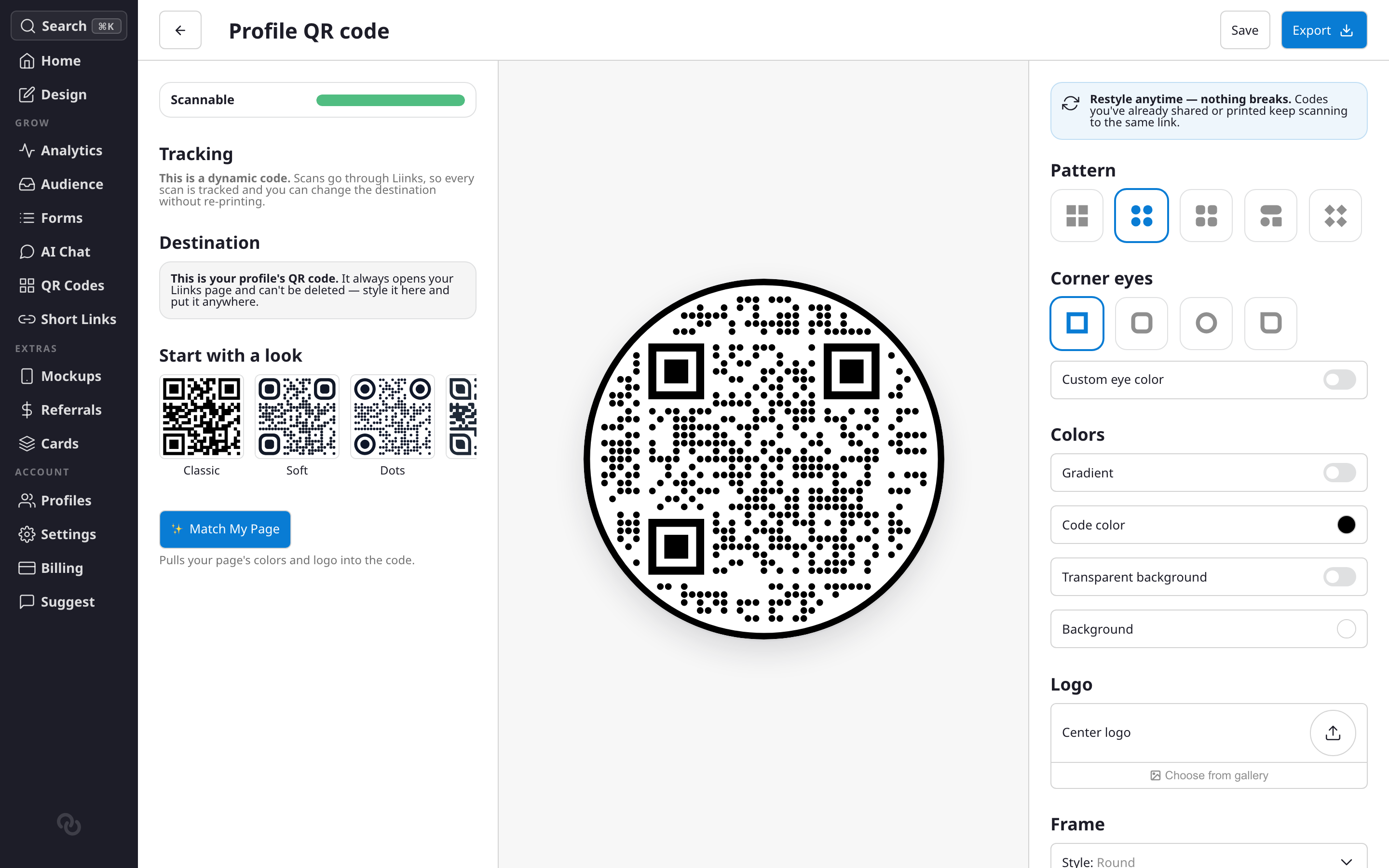
Design a code you'd be proud to print
Open any code in QR Studio and style it however you like:
- Presets — Start from a ready-made look, then tweak from there.
- Match My Page — Pull in your profile's theme colors and logo in one click.
- Patterns and corner eyes — Choose dot shapes and style the corner "eyes" independently.
- Colors and gradients — Solid or gradient fills, plus a transparent background option.
- Center logo — Drop your logo in the middle, sized so the code still scans.
- Frames — Wrap the code in a label card or a round frame with a "Scan me" call to action.
Scannable, guaranteed
A live scannability meter watches your design as you work and offers one-click fixes for anything risky, like low contrast or an oversized logo. If a code won't scan reliably, exporting is blocked until it's fixed. And before any download, Liinks renders your exact design and scans it to confirm it points to the right place.
Export as a high-resolution PNG (up to 4096px, transparent supported) or a crisp SVG vector for print.
Restyle anytime, nothing breaks
Restyling changes only how a code looks, never where it points, so codes you've already printed keep working. Older codes get a Style in QR Studio option to bring them into the new editor.
Read the full guide: QR Codes.