There are two levels of customization: individual blocks, and your page as a whole.
Customizing blocks
Each block can be customized in many ways. You can adjust a block's layout, add a title, description, and label, and attach an image, icon, or emoji. You can also add animations and per-block custom styles.
The Design panel
The Design panel applies styles to your entire page and all the blocks on it:
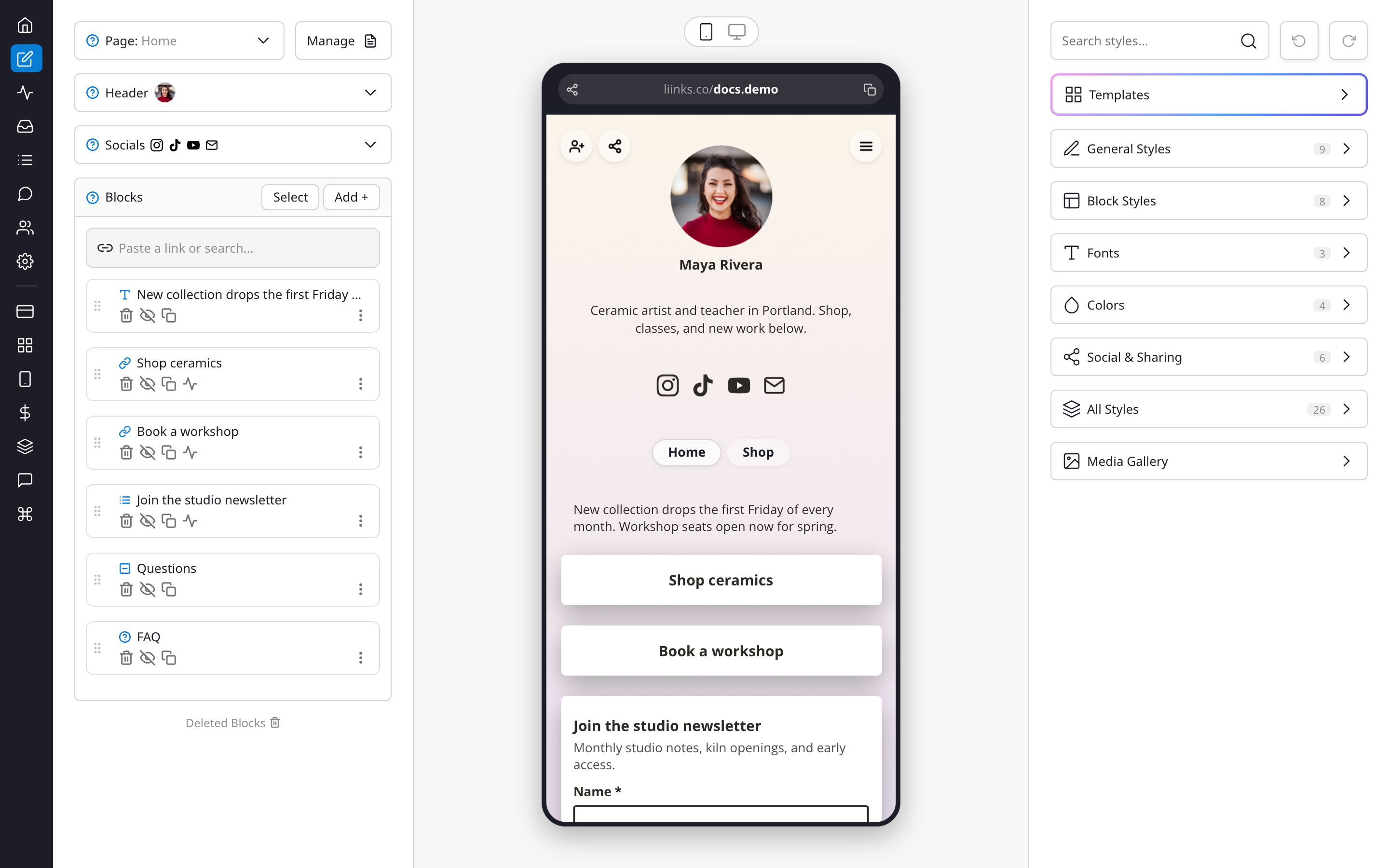
- Templates — preset themes to start from, then tweak to your liking
- General Styles — background, spacing, and page-wide settings
- Block Styles — shape, shadows, borders, and corner rounding for your blocks
- Fonts — title and body typefaces
- Colors — text, button, and background colors
- Social & Sharing — social icon styles and share options
- Media Gallery — manage the images used across your page
The search field at the top of the panel finds any individual style setting quickly.
For design inspiration, the Liinks customers gallery features dozens of real pages showing how different content types and styles come together.