Connect Google Analytics to your Liinks page to track page views, visitor behavior, and link clicks using Google's analytics platform.
How to set up Google Analytics
-
Get your Google Analytics ID — If you don't already have one, create a property in Google Analytics. Your tracking ID will look like
G-XXXXXXXXXX. -
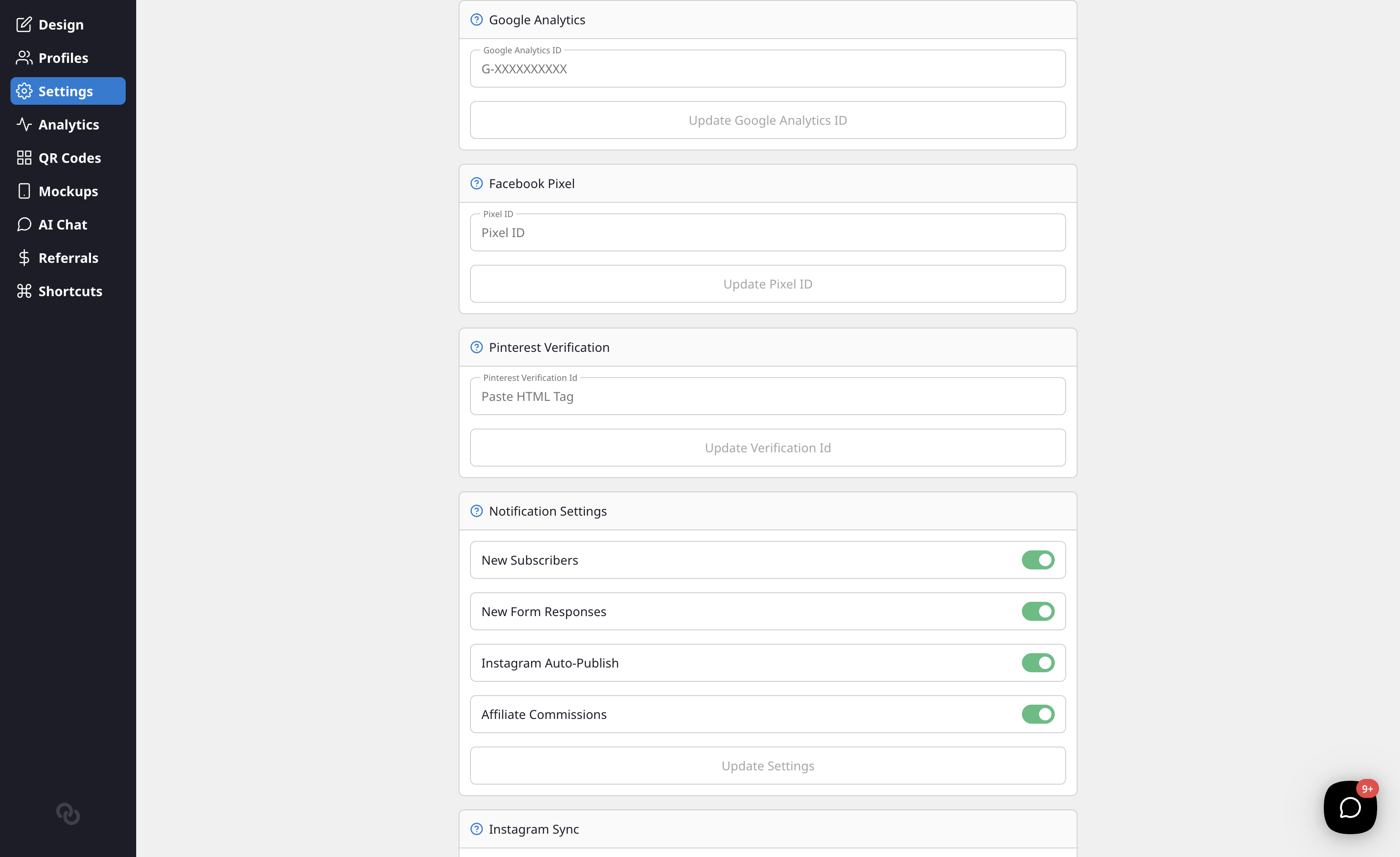
Navigate to Settings — In your Liinks admin dashboard, go to the Settings tab.
-
Find the Google Analytics section — Scroll down to the Google Analytics section.
-
Enter your tracking ID — Paste your Google Analytics ID (e.g.,
G-XXXXXXXXXX) into the text field. -
Save — Click Update Google Analytics ID to save your changes.
What gets tracked
Once configured, Google Analytics will automatically track:
- Page views — Every time someone visits your Liinks profile.
- Link clicks — Interactions with links on your page.
- Traffic sources — Where your visitors are coming from.
- Visitor demographics — Geographic and device data (as provided by Google Analytics).
Verifying your setup
After adding your tracking ID, visit your Liinks profile page and check the Realtime report in Google Analytics to confirm that page views are being recorded.
Removing Google Analytics
To disconnect Google Analytics, simply clear the tracking ID field in your Settings and save. The tracking script will be removed from your profile page immediately.