Note: The Team feature is only available on our Pro plan
If you have managed profiles in a Team, you can create Portal Login Link to allow collaborators to modify a single profile without having access to other profiles or admin permissions such as billing.
Portal Login Links can only be generated for non-Admin profiles. If you'd like to let collaborators edit your current Admin profile, you'll need to first switch it to be non-Admin. You can follow our guide here on how to switch Admin profiles.
How to create a Portal Login Link:
-
Log in to your Admin profile.
-
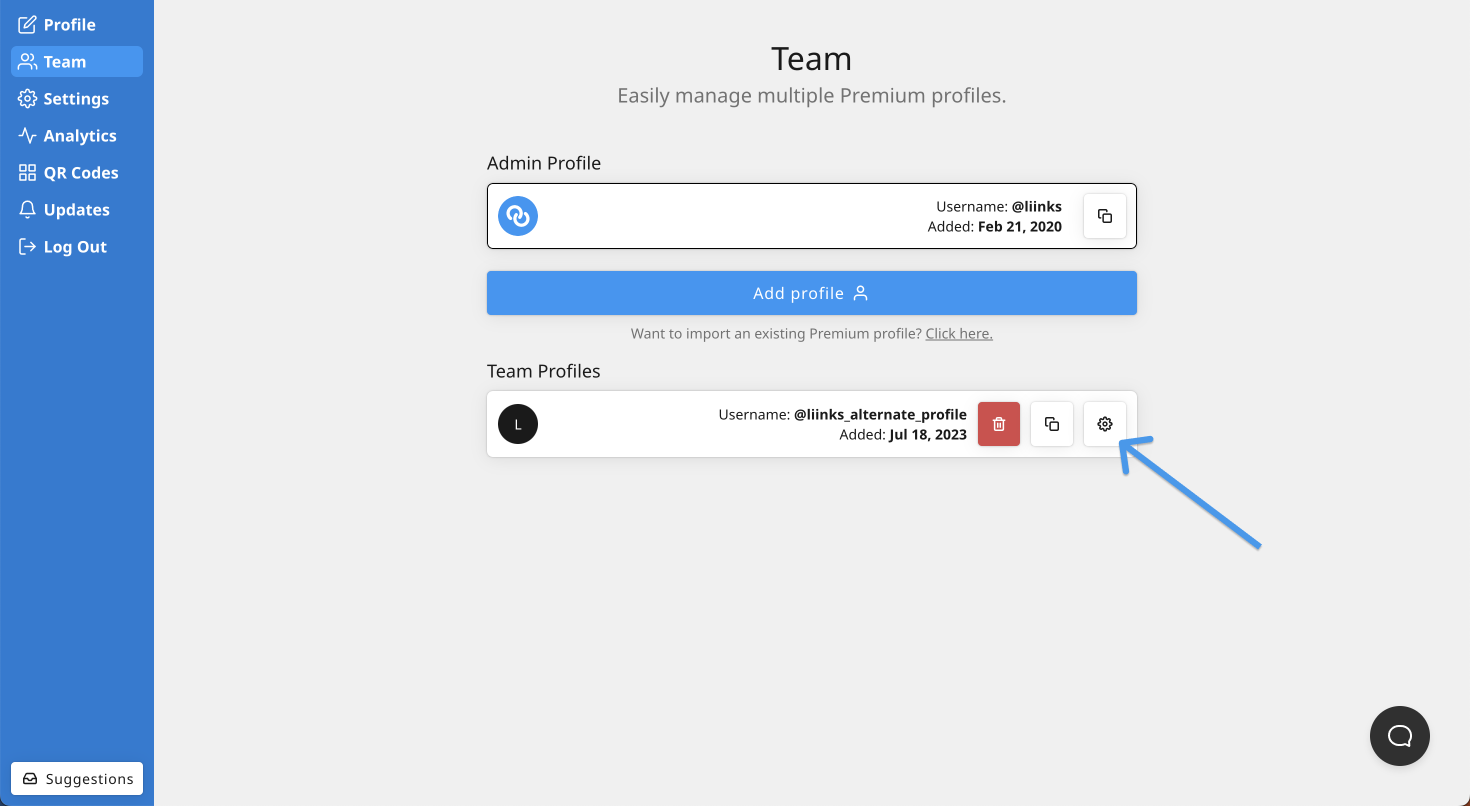
On the Profiles tab, click the ⚙️ icon next to the profile that you'd like to create the Portal Login Link for
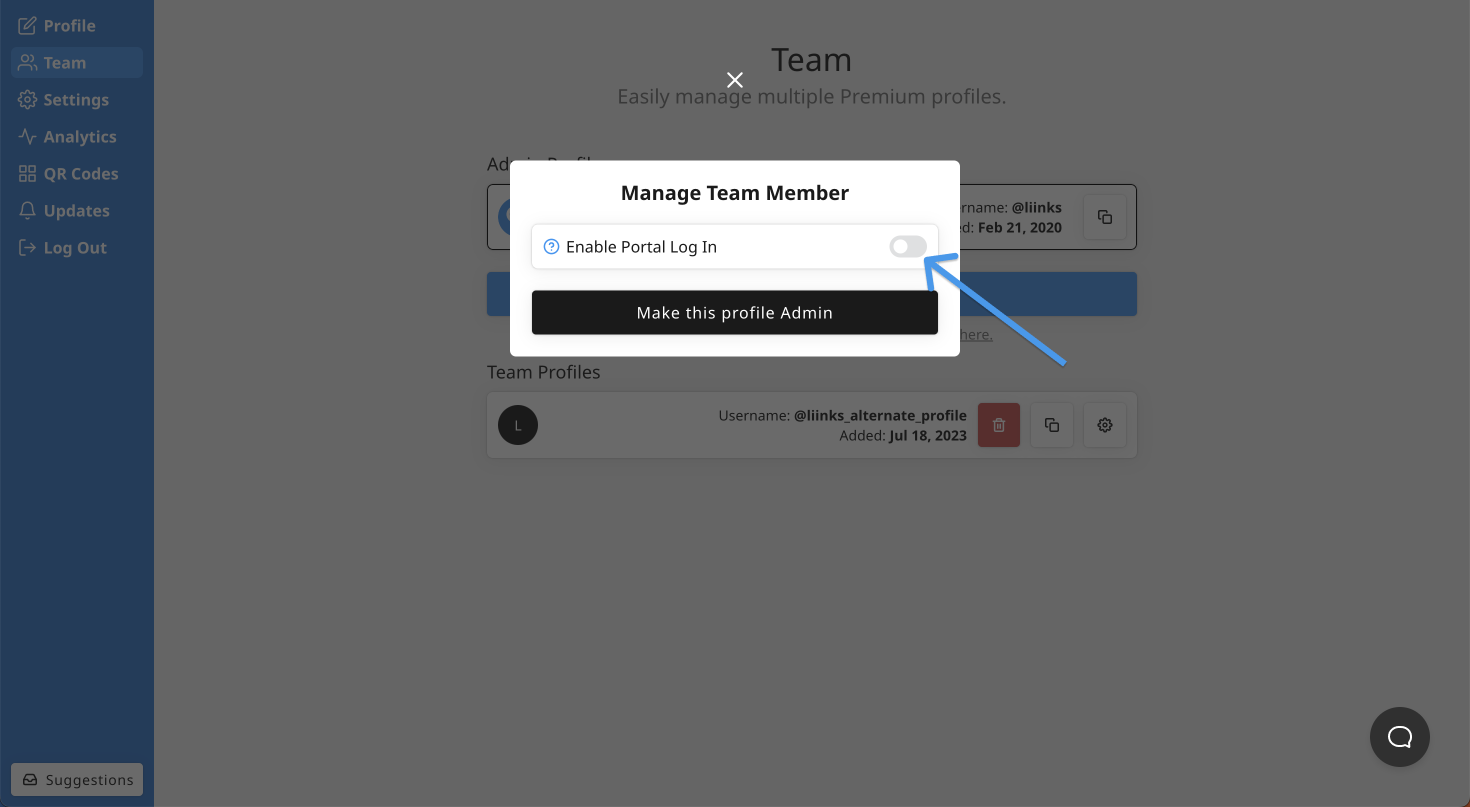
- Toggle on Enable Portal Log In in the "Manage Team Member" modal
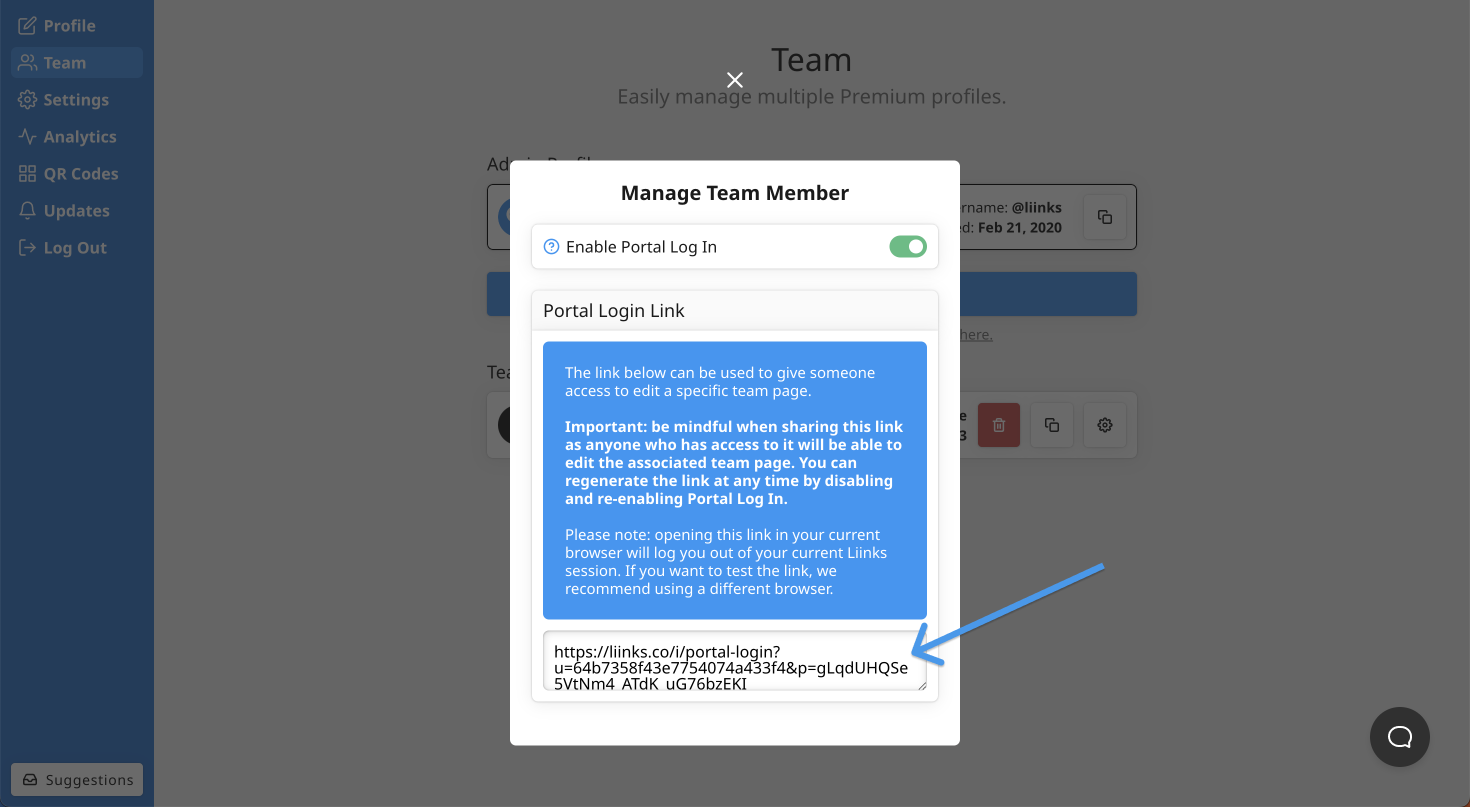
- Notice the portal log in link in the modal. You can now share this with collaborators and they'll be able to use the link to log in and modify that profile
Be mindful when sharing this link as anyone who has access to it will be able to edit the associated team profile. You can regenerate the link at any time by disabling and re-enabling Portal Log In (anyone who has an old link will no longer be able to log in).