You can add eye-catching bounce animations to your links to draw visitor attention and make your page feel more dynamic.
How to add animations
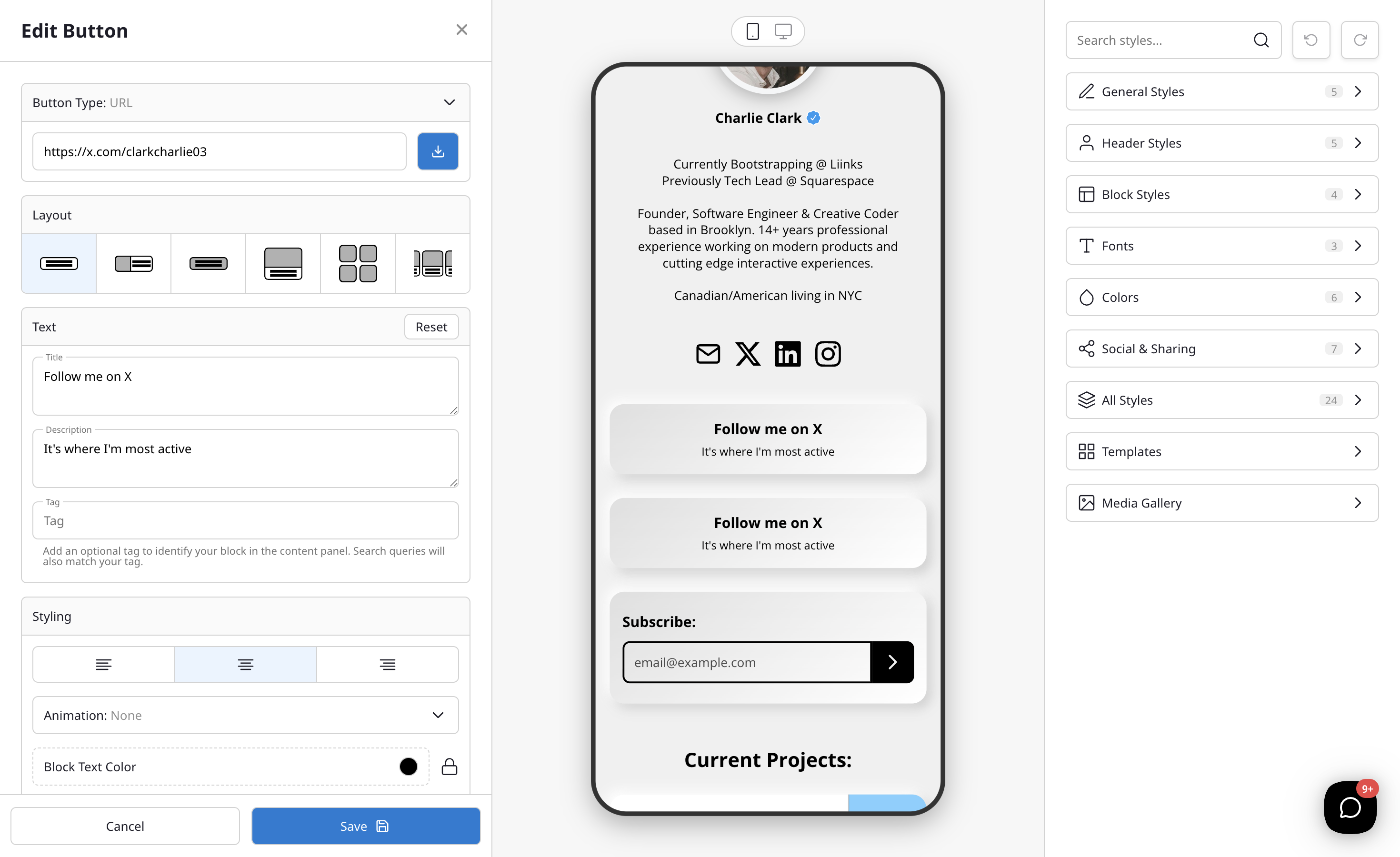
Animations are set per block, so you can make one link bounce while the rest stay still:
- In the editor, click the block you want to animate.
- Open the Styling section of the block editor.
- Choose an effect from the Animation dropdown.
- Select an animation style from the dropdown.
Available animations
- Tada — A playful attention-grabbing shake with a slight scale effect.
- Head Shake — A quick horizontal shake.
- Pulse — A subtle growing and shrinking effect.
- Rubber Band — A stretchy, elastic bounce.
- Swing — A swinging pendulum motion.
- Jump — A vertical bounce effect.
- Jello — A wobbly, jelly-like distortion.
The animation will apply to all link blocks on your page. Visitors will see the animation when the page loads, helping to draw attention to your links.
Tips
- Animations are a great way to highlight time-sensitive content like limited-time offers or new releases.
- Use animations sparingly — a subtle pulse can be more effective than an aggressive shake.
- Test your page after adding animations to make sure they complement your overall design.