You can now choose from four header layouts to change how the top of your page looks: Classic, Banner, Business, and Headshot.
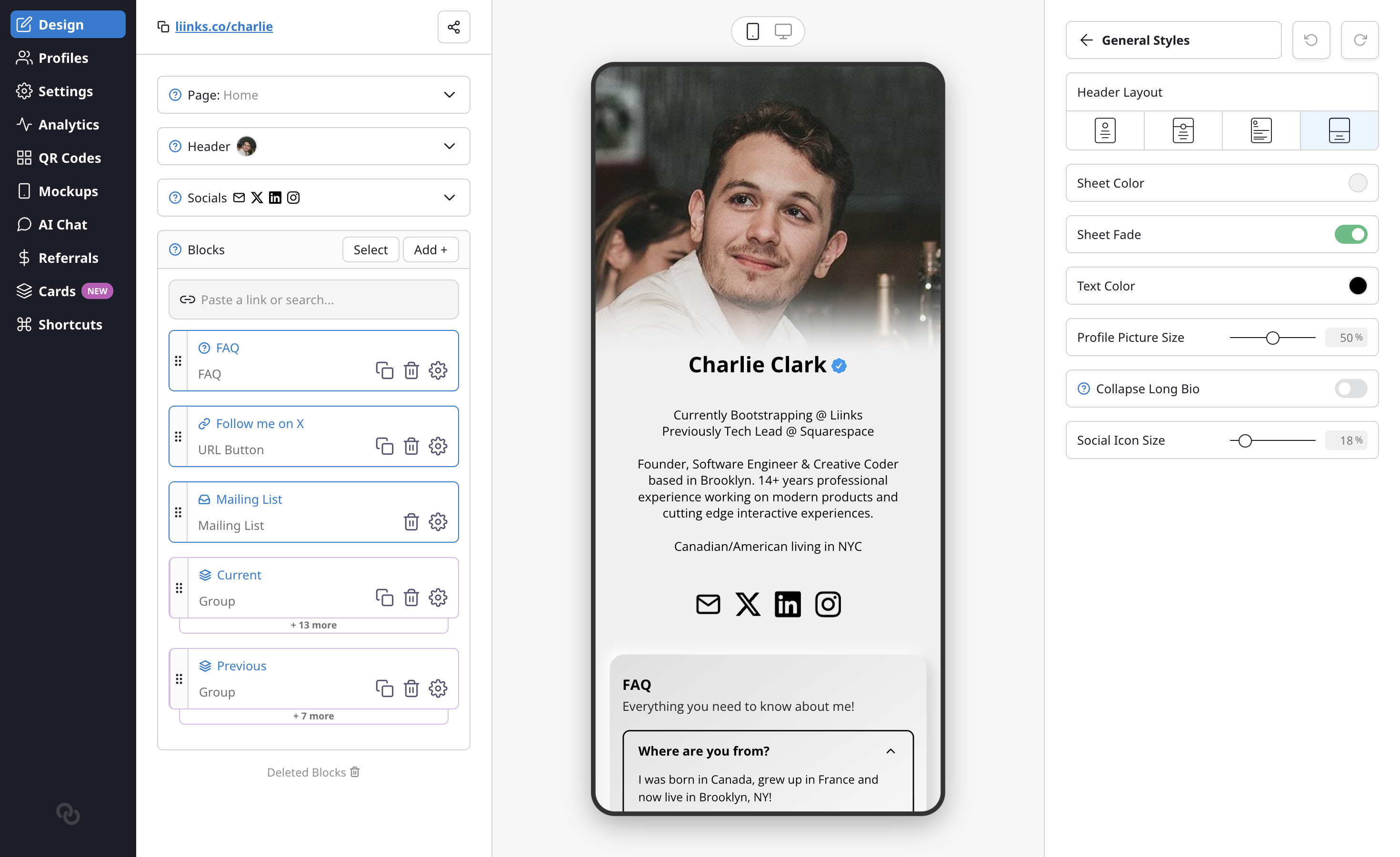
- Classic — The original centered profile picture, name, and bio.
- Banner — A full-width colored sheet behind your profile section.
- Business — A compact, professional look with a smaller profile picture and tagline.
- Headshot — A large, prominent profile photo that fills the header.
Each layout comes with additional customization options:
- Sheet Fade — A new toggle that smoothly fades the header sheet into your page background for the Banner, Business, and Headshot layouts.
- Profile Picture Size — Your profile picture size is now adjustable. In the Headshot layout, this slider controls the height of the header image instead.
Find the new Header Layout selector at the top of the Design tab.